Ahrefs is making himself totally rubbish people trust on them and he consider user domains to Crawling this address / port is not supported: What the Error Really Means
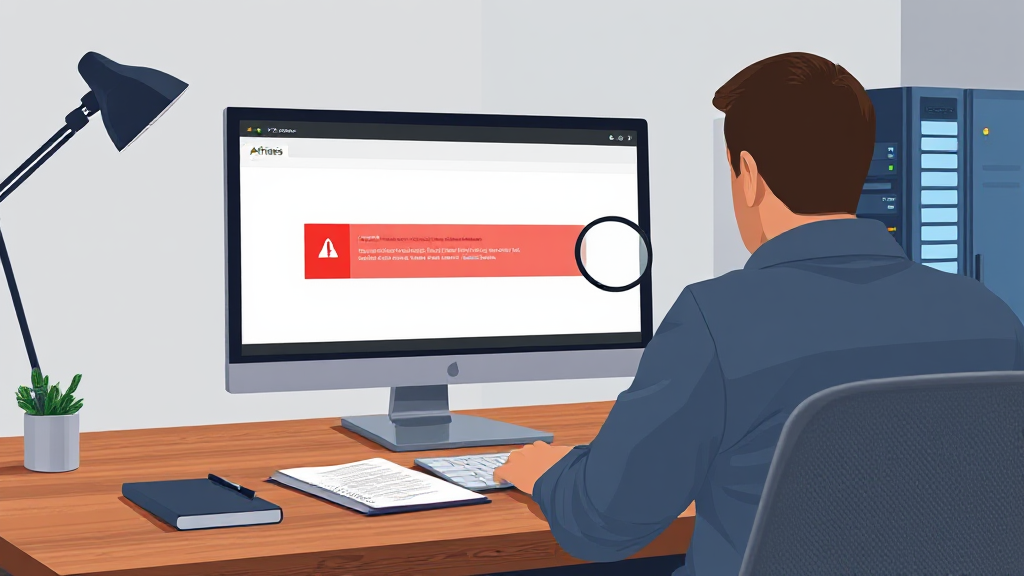
You open your Site Audit, and there it is in red: “Crawling this address / port is not supported.” Your stomach drops. You have spent months building your site, and now the tool you trusted is telling you it cannot even look at your domain. It reads like a verdict. It sounds like Ahrefs is calling your website rubbish, broken, or unworthy of attention. Take a breath. That is not what the message means, and the wording is genuinely misleading. The error is a technical crawl limitation, not a judgment on your site quality, your content, or your SEO.
I have seen this exact message on client sites, on staging environments, and on perfectly healthy production domains. Every single time, the panic came from the phrasing, not from an actual problem with the website. So let’s decode what Ahrefs is actually telling you, why the crawler refuses to touch certain addresses, and how to get your audit running again without rebuilding anything.
What the “Crawling This Address / Port Is Not Supported” Error Actually Means
The message is about the address format the crawler was given, not about the content sitting behind it. When Ahrefs queues a crawl, it takes the URL you entered and tries to resolve it into a host and a port. If that host or port falls outside the range the crawler is built to handle, it stops before it ever requests a single page. No HTML is fetched. No links are followed. Nothing about your site has been evaluated, which is exactly why the error feels so unfair.
Think of it like a delivery driver who is told to drop a parcel at “the building on the left.” The driver is not saying the building is bad. The driver is saying the address is not something the routing system can process. Ahrefs is the driver here, and your domain is the building. The building is fine.
This distinction matters because site owners often react by rewriting titles, deleting pages, or second-guessing their entire strategy. None of that helps. The crawl never happened, so there is no data to act on. The correct response is to fix the address you handed to the crawler, not to fix the website.
There is also a trust angle worth addressing directly. People rely on Ahrefs for backlink data, keyword research, and technical audits, and when a trusted tool produces a message that sounds like an insult, it erodes confidence fast. That frustration is legitimate. But the tool is not secretly rating your domain as worthless. It is refusing to crawl a target it cannot parse, and those are two very different things.
Why Ahrefs Says “Not Supported”: Crawler Limitations, Ports, Localhost, and IP Addresses
Ahrefs runs a distributed crawler at enormous scale. To keep that operation stable, it restricts which kinds of addresses it will attempt. The restriction is deliberate, and it exists for good reasons. Here are the situations that most often trigger the error.
Non-standard ports. A normal website answers on port 80 for plain HTTP and port 443 for HTTPS. Those are the defaults, and browsers hide them. If your site is served on something like port 8080, 3000, 8443, or any other custom number, the crawler sees an address it does not support. This happens constantly with development servers, internal dashboards, and self-hosted applications that were never meant to face the public internet on a standard port.
Localhost and loopback addresses. If you paste something beginning with localhost, or a loopback address like 127.0.0.1, the crawler cannot reach it. That address only means something on your own machine. From Ahrefs’ servers, it points at themselves, not at your project. The same logic applies to private network ranges that only exist inside your office or your hosting provider’s internal network.
Bare IP addresses. Crawling a raw IP instead of a hostname is often rejected. Hostnames are how the web is organized, and the crawler is built around them. An IP address without a domain attached is ambiguous, hard to verify, and frequently points to shared infrastructure where the response depends entirely on which virtual host answers.
Unusual schemes and malformed input. If the address includes a stray space, a missing protocol, a doubled slash, or a scheme the crawler does not recognize, it will bail out. Small copy-paste errors are a surprisingly common cause. A trailing character you did not notice is enough to produce the message.
Internal or blocked hostnames. Some setups use hostnames that only resolve behind a VPN or a firewall. The crawler, sitting outside your network, cannot resolve them, and the result looks identical to a port problem.
Notice the pattern. Every one of these is about reachability or address format. None of them is about the quality of your pages, the strength of your content, or whether Google likes you. The crawler is simply saying it cannot start.
How to Check Whether the Error Is About Your Address or Your Site
Before you change anything, confirm which of the two problems you actually have. The check takes about two minutes.
Start by looking at the exact target you entered in the audit setup. Open the project settings and read the address character by character. Does it include a port number after a colon? Does it start with localhost or a numeric IP? Is there a typo, a missing protocol, or a trailing slash in the wrong place? Most cases end right here.
Next, open the same address in a normal browser on a different network, ideally your phone with Wi-Fi turned off. If the page loads on your phone using mobile data, the site is publicly reachable and the problem is almost certainly the address format. If it only loads on your office network, you are dealing with an internal or VPN-only host, and no external crawler will ever reach it.
Then verify the port. If your browser address bar shows something other than the standard HTTP or HTTPS port, that is your answer. You can also check with a simple connectivity test from a machine outside your network, though for most people the phone test is enough.
Finally, compare against a known-good target. Add a plain, public website you do not own to a temporary project and run a crawl. If that works and yours does not, the issue is specific to your address. If nothing crawls, the problem is on the account or plan side, which is a different conversation entirely.
Only after these checks should you look at the site itself. If the address is clean, public, and standard, and the crawl still fails, then you can start investigating server responses, firewall rules, or bot blocking. But do not start there. You will waste hours fixing a website that was never the problem.
Step-by-Step Fixes for Site Owners Seeing This Error in Site Audit
Here is the practical sequence I walk clients through. Work down the list in order and stop as soon as the crawl succeeds.
Step one: replace the address with the canonical public URL. Use the full hostname with the correct protocol, no port number, no localhost, no raw IP. If your site lives at a domain, enter the domain. If it lives in a subfolder, enter the full path. This single change resolves the majority of cases.
Step two: remove custom ports from the target. If your production site genuinely runs on a non-standard port, put a reverse proxy or load balancer in front of it so it answers on the standard HTTPS port. That is good practice anyway, because real visitors and search engines expect standard ports too. Never expose a development port to the open internet just to satisfy a crawler.
Step three: crawl the live site, not the staging site. Staging environments are usually protected, password-gated, or served on odd ports. They are not meant to be crawled. Point the audit at production. If you need to audit a staging copy, give it a temporary public hostname on a standard port and remove it when you are done.
Step four: confirm DNS resolves publicly. Check that your hostname resolves to a public address from outside your network. If it only resolves internally, the crawler will never find it, no matter how you format the target.
Step five: check for bot blocking. Once the address is correct, some servers still refuse the crawler. Look at your firewall, CDN rules, and any bot protection. If you have blocked unknown user agents or rate-limited aggressively, the crawler may be turned away. Allow legitimate audit crawlers through, or at least verify they are not being challenged.
Step six: re-run the audit and watch the first few minutes. A successful crawl starts fetching pages almost immediately. If it fails again, note the exact wording of the new error. A different message means you have moved past the address problem and into a server or configuration issue, which is progress.
One short list is enough here, so I will keep it to the essentials: fix the address, remove the port, crawl production, verify public DNS, allow the bot, then re-run. Everything else is a variation on those six moves.
There is a strategic point buried in all this. If you are auditing a site that is not publicly reachable, you are auditing something your visitors cannot reach either. That is worth knowing. The error occasionally exposes a real deployment mistake, such as a site that was never properly pointed at its domain, or a firewall rule that blocks more than intended. In those cases the message did you a favor, even if it did so rudely.
Frequently Asked Questions About the Ahrefs Address and Port Crawl Error
Does this error mean Ahrefs thinks my domain is low quality?
No. The message is purely about the address the crawler was given. It never fetched your pages, so it has no opinion about your content, your authority, or your rankings. Quality judgments come from data, and there is no data here. Treat it as a routing problem, not a review.
Why does the error appear when my site loads fine in my browser?
Your browser and the crawler are not the same visitor. Your browser may be using a cached session, an internal DNS entry, a VPN, or a non-standard port that you never notice because the browser hides it. The crawler starts from outside your network with none of that context. What works on your laptop does not automatically work for an external bot.
Can I crawl a site that only exists on my local machine or internal network?
Not with an external crawler, and that is true of every hosted audit tool, not just one. Local and private addresses are unreachable from the public internet by design. If you need to audit that environment, publish it temporarily on a public hostname and a standard port, run the audit, then take it down.
What should I do if the address is correct but the crawl still fails?
Move to the server layer. Check firewall rules, CDN bot settings, rate limits, and whether your host blocks unfamiliar user agents. Confirm the site responds to requests from outside your network. If the address is clean and public, the remaining causes are almost always access controls rather than anything about the domain itself.
Is the wording of this error message ever going to improve?
Tool vendors do revise messaging over time, and clearer wording would save a lot of unnecessary panic. Until then, the practical move is to translate the message in your head: it means the crawler could not start, not that your site is worthless. That reframing alone prevents most of the wasted effort this error causes.
The next time you see that red line in your audit, remember what it actually says. It is telling you the address or port could not be crawled. It is not telling you your domain is rubbish, and it is not a reason to lose faith in your own work. Fix the target, confirm public reachability, allow the crawler, and run it again. In most cases the audit will complete within minutes, and you can get back to the work that actually moves your rankings.